Scattered billing
Juggling 4+ provider dashboards to understand what you're spending.
Free early access for technical testers on macOS Apple Silicon. One local-first hub for agent setups, local models, and multiple cloud APIs.
The more models and providers you use, the harder it gets to understand where cost is coming from and what to change.
Juggling 4+ provider dashboards to understand what you're spending.
Running Ollama and LM Studio with zero visibility into what they're doing.
No way to compare cloud costs vs local performance in one place.
TokenPulse sits in the request path, records the useful parts, and gives you one local dashboard instead of eight tabs.
Change one environment variable. That's it.
export OPENAI_BASE_URL=http://localhost:4100Every request flows through the proxy. Usage metadata is stored locally in SQLite.
The main dashboard runs in your browser at http://127.0.0.1:4200.
Track live requests, budget pressure, model performance, and cost-saving opportunities from one dashboard built for daily use.
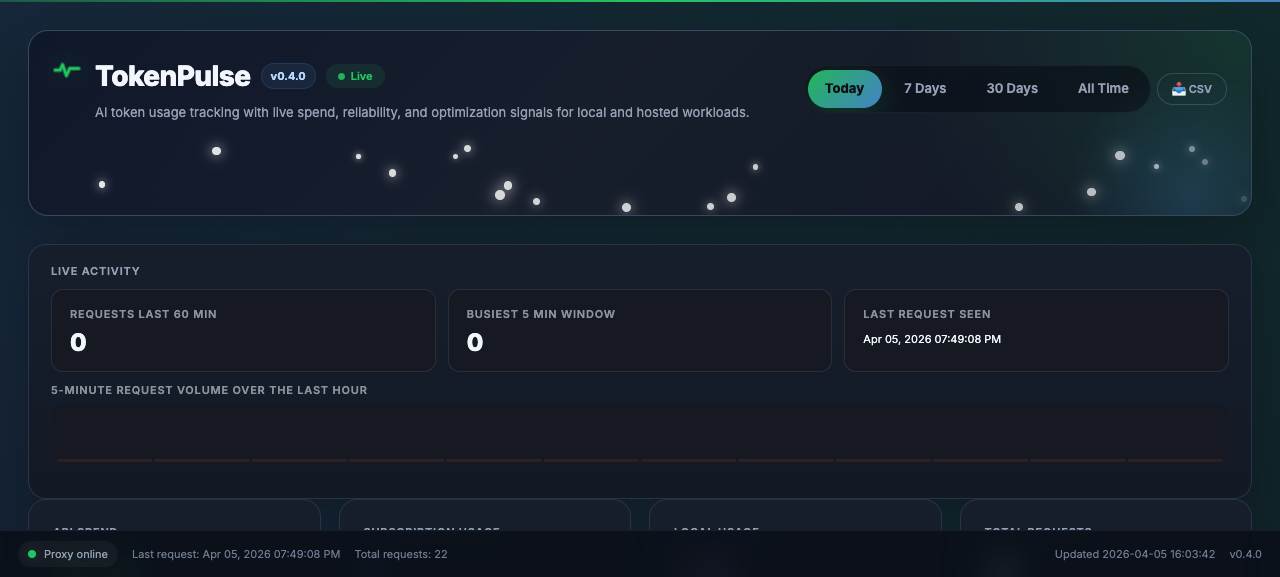
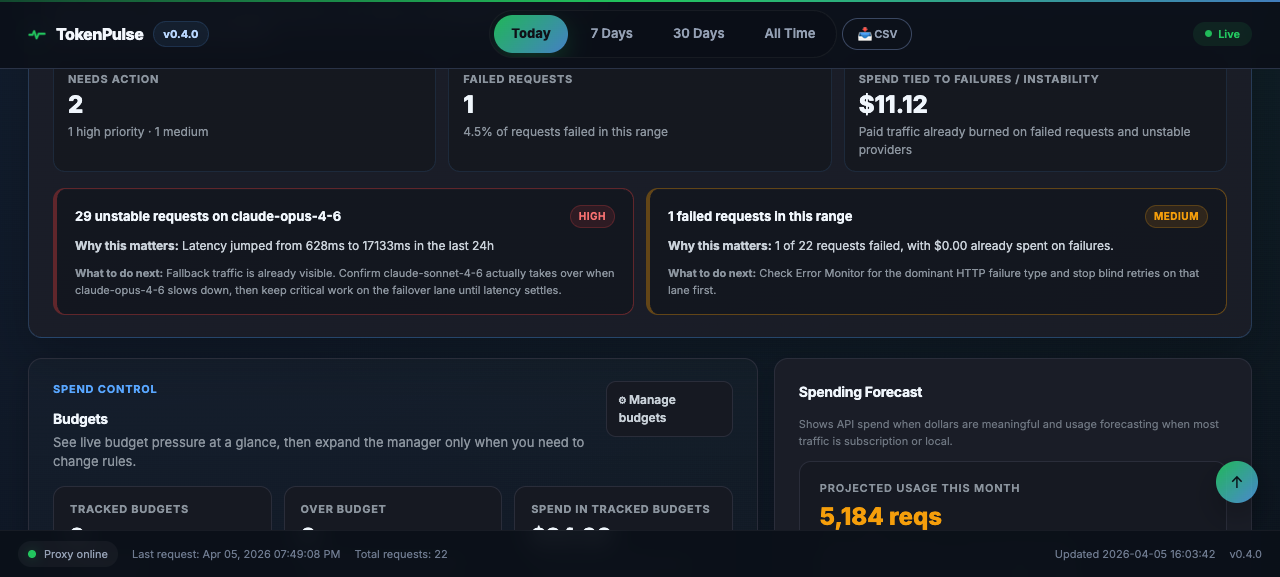
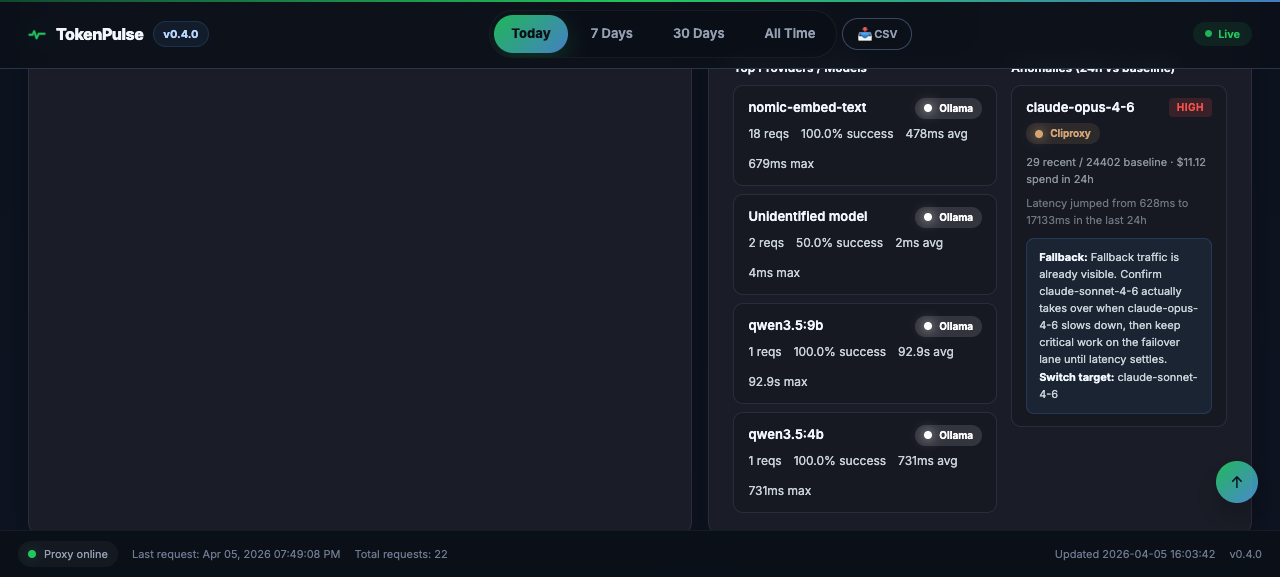
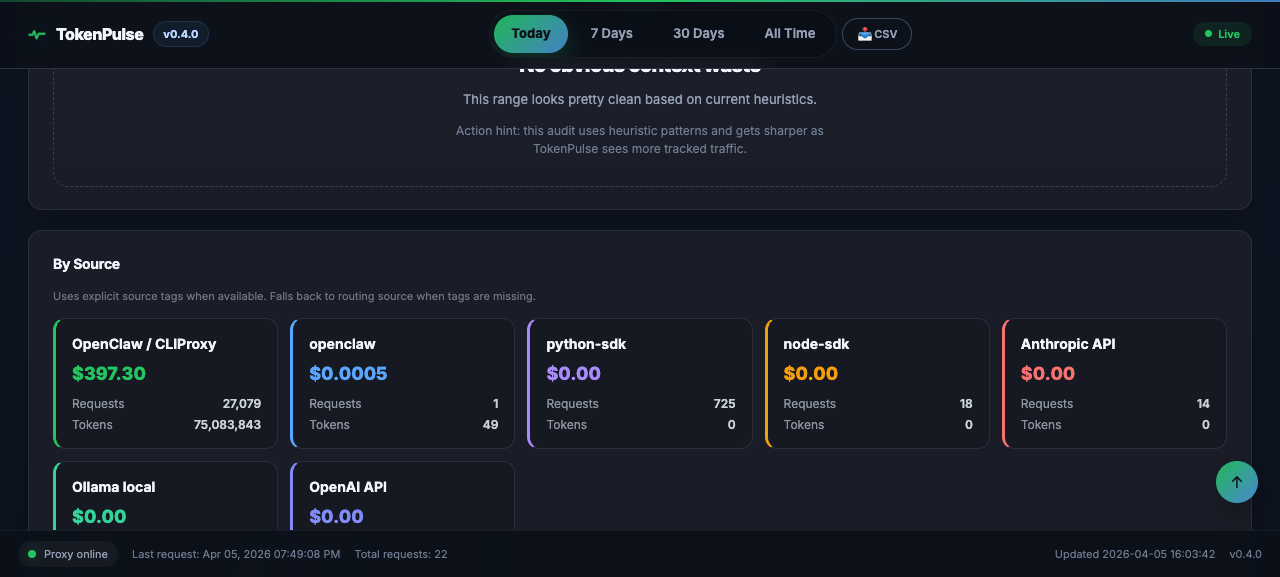
Catch expensive model choices before they compound.
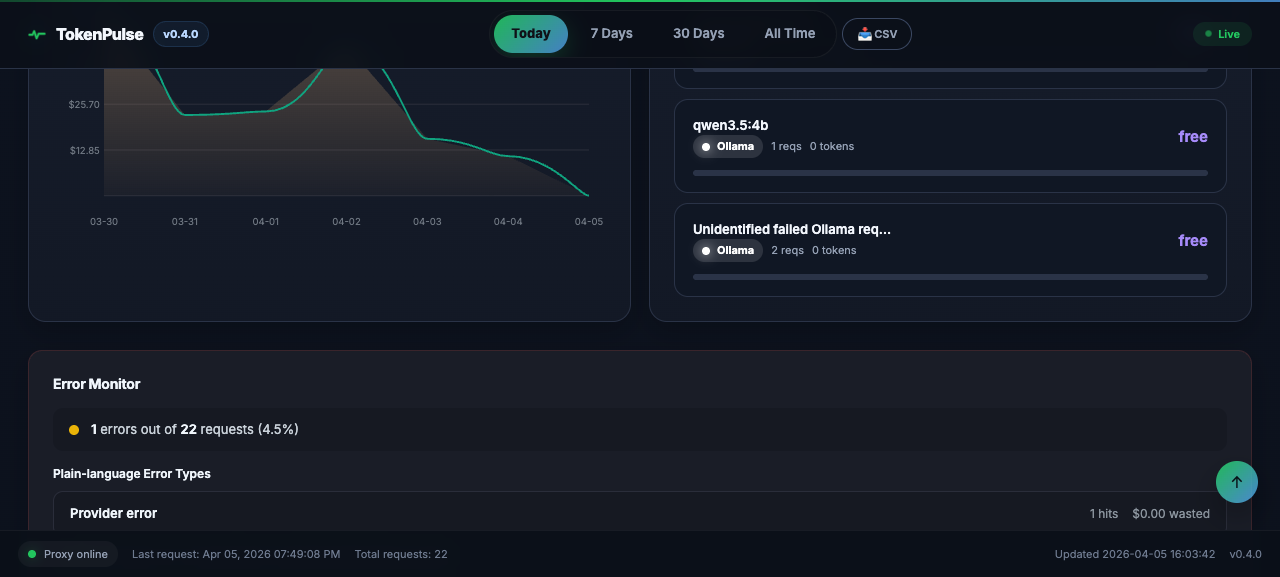
See when teams, agents, or scripts actually spike.
Everything important stays local, but the visibility is good enough for serious day-to-day optimization work.
OpenAI, Anthropic, Google, xAI, Mistral, Groq, Ollama, LM Studio, OpenRouter — all through one proxy.
Per-request token counts with cache-aware cost math — cache reads and writes billed at provider-correct rates, estimated prices clearly flagged.
Set spending limits, get notified before you blow through them.
SQLite on your machine. No cloud account, no telemetry, no data leaving your network.
Full SSE streaming passthrough with live token counting.
Detects model misuse and suggests cheaper alternatives that fit.
Monthly spend projections based on your actual usage patterns.
Export everything for spreadsheets, reports, or your own analysis.
Local model visibility and zero-account setup are the main differentiators, especially if you already run AI tools on your own machine.
| Feature | TokenPulse | Helicone | LiteLLM | CostGoat |
|---|---|---|---|---|
| Local model tracking | ✅ | ❌ | Partial | ❌ |
| Real-time proxy | ✅ | ✅ | ✅ | ❌ (polls) |
| 100% self-hosted | ✅ | ✅ (OSS) | ✅ (OSS) | ❌ |
| No account for core features | ✅ | ❌ | ❌ | ❌ |
| Data stays local | ✅ | ❌ | ❌ | ✅ |
| Price | Free (early access) | Free-$500/mo | Free | $9/mo |
TokenPulse v1 is free early access for technical testers on macOS Apple Silicon. Install it, then open the browser dashboard.
Linux, Windows, and NVIDIA setups are planned for later releases.
Read the full getting started guidecurl -fsSL https://raw.githubusercontent.com/TokenPulse26/TokenPulse/main/install.sh | bash
# Proxy
http://127.0.0.1:4100
# Main browser dashboard
http://127.0.0.1:4200Follow the agent guide to connect your coding agents and tester workflows to TokenPulse with a local-first setup.
Open AGENT_SETUP.mdTokenPulse includes an OpenClaw setup path for early testers. Start with the official setup guide.
Open OPENCLAW_SETUP.md
TokenPulse now includes ~/.tokenpulse/agent_verify.py
for agent and tester verification, plus a first-tester QA pack.
python3 ~/.tokenpulse/agent_verify.pyThese are common base URLs for v1:
OpenAI-compatible: http://localhost:4100
Anthropic:        http://localhost:4100/anthropic
Ollama:           http://localhost:4100/ollama
LM Studio:        http://localhost:4100/lmstudio